


Say “Hello!” to Snug, a self-hosted data room for early-stage founders, which we’ve released as open source under the MIT licence. The source code is available on GitHub. Install Snug on a DigitalOcean droplet yourself, and use it to share your documents with investors.
When you’re running Snug on DigitalOcean it’ll cost $11 a month. That’s $6 for the droplet and $5 for the bucket that holds your backups.
Why we built it
Data rooms are the kind of software I wrote about back in June, when I argued that most new software will only ever have one user, and that a lot of simple SaaS products were heavily overpriced. A data room is read by a few dozen people for the length of one raise, and yet founders rent it by the month.
What it does
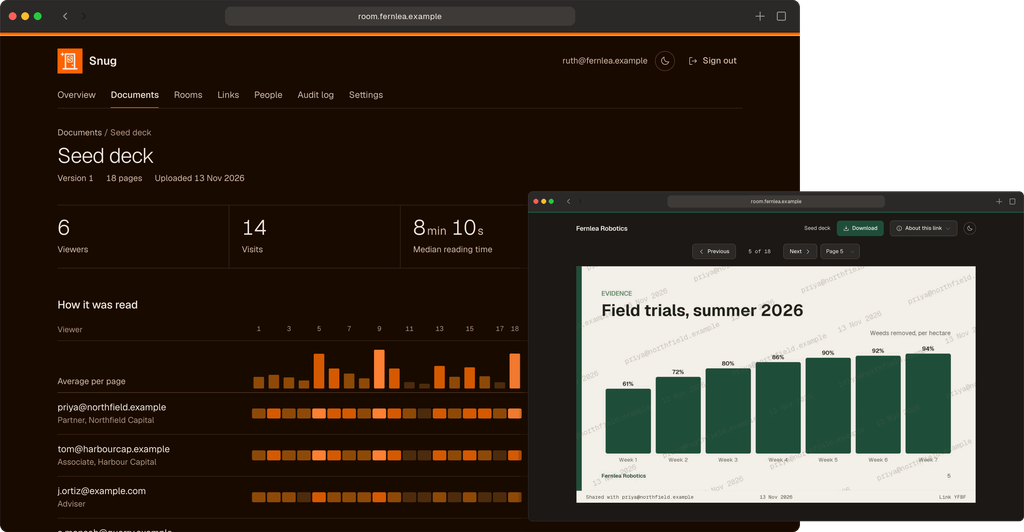
A founder uploads a pitch deck, financials or a due-diligence folder, and makes a link for each investor. The investor follows the link and then types a one-time code that Snug will send to their email address to allow them access.
The founder can see who opened what document, the time spent on each page, and whether the document was downloaded. Revoking a link stops it working at once, even on pages that are already open.
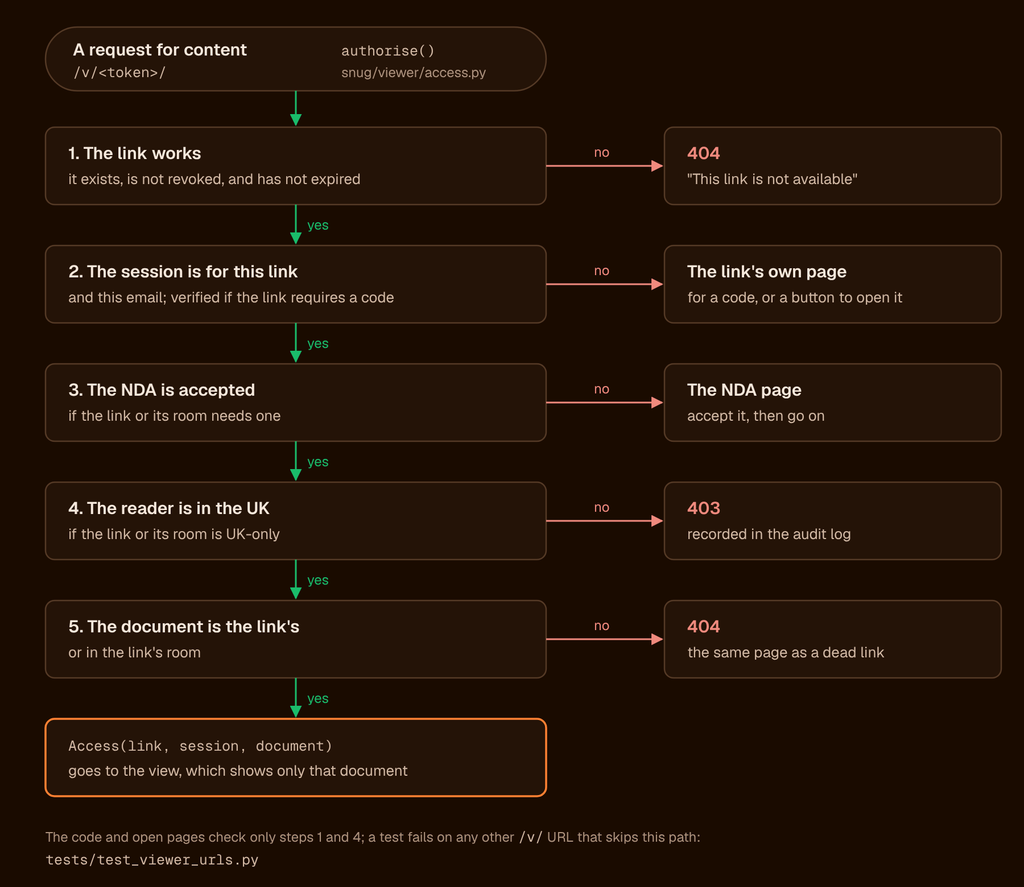
Documents can be grouped into rooms, with an optional click-through NDA required before a room opens. Access via a link can be limited to visitors from the UK.
What it protects against
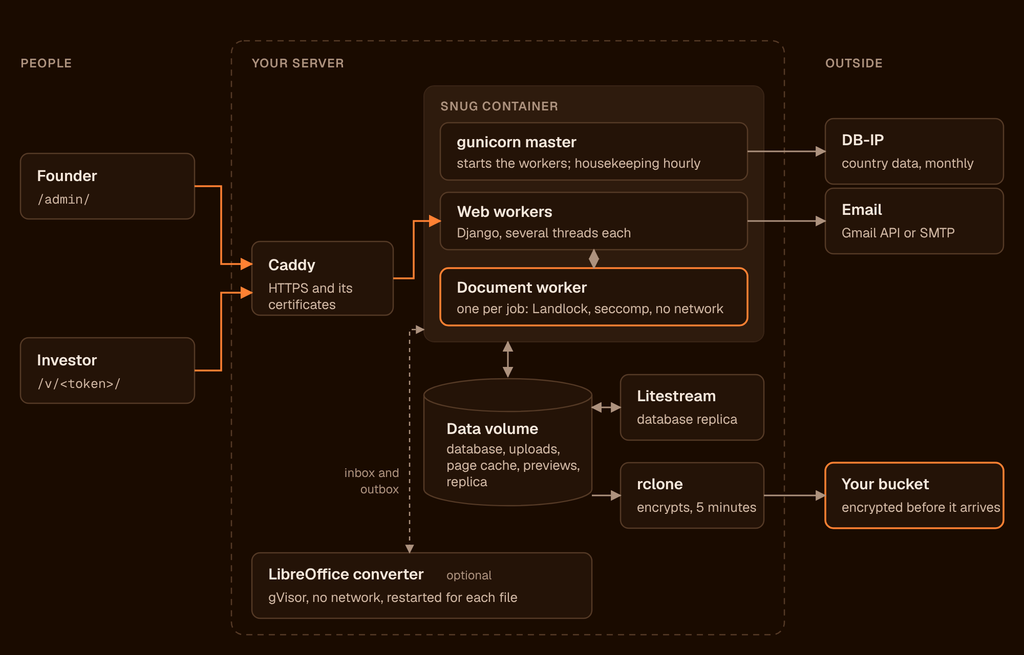
Snug is built on Django, and uses its long-audited code for sign-in sessions, password storage, and protection against forged form submissions, rather than writing its own. Every request from an investor goes through one authorisation function, and a test fails if any viewer page is reachable without it. Snug sends no CORS headers, and has a strict content security policy. It connects to only two outside services: Google for email and DB-IP for country data.
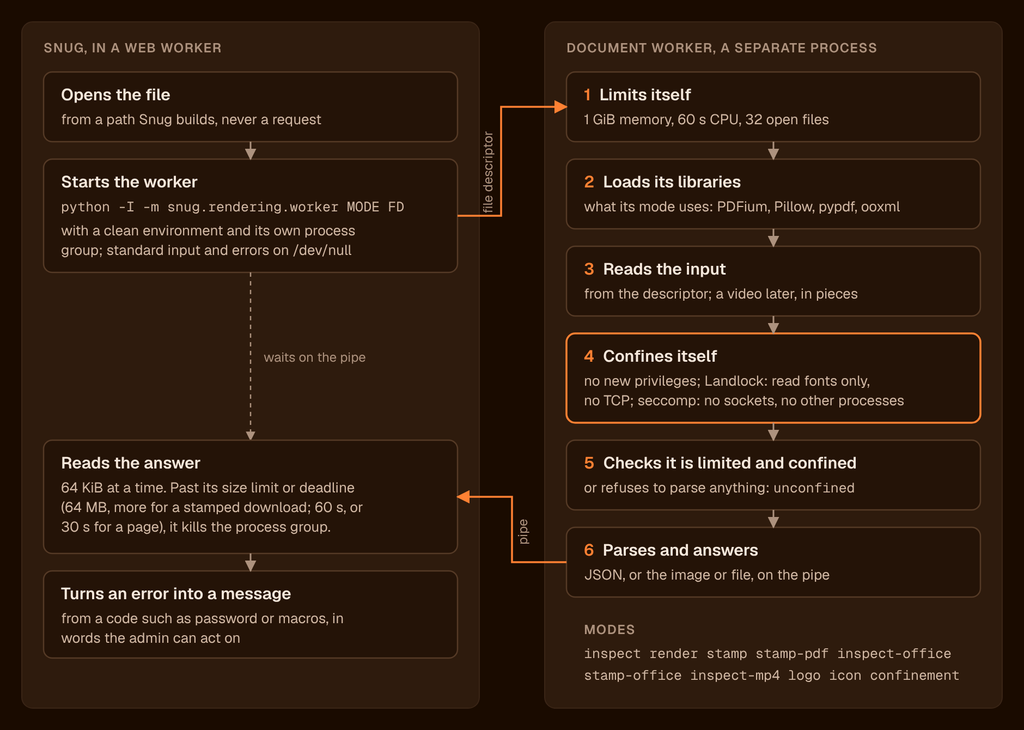
Uploaded files are read only in a separate worker, confined by Landlock and seccomp, with no network and no access to other files. The optional LibreOffice converter runs in a container of its own under gVisor, also with no network connectivity, and restarts after every file.
What it doesn’t do
Snug has no Q&A, because email already does that job. It has no hosted version, no e-signatures, no single sign-on, and no AI features, because most early rounds don’t need any of that.
Running it
Setting Snug up in the cloud takes about about about an hour, much of it waiting for things to happen, following the guide to putting Snug on DigitalOcean. Or you can try it on a your laptop first: follow the instructions to try Snug on your own computer.
Bug reports and pull requests are welcome on GitHub as new issues, while security problems should be reported privately.